Write the task.
Hand it to your agent.
Keep it on your Mac.
OpenTalon is a Kanban board for one person. Add a task, drag it to Sent to agent, and Claude Code or Codex starts on it and reports back. Tasks live in a local database. There is no OpenTalon account, and it never asks for an API key.
Downloads coming soon · Built for macOS
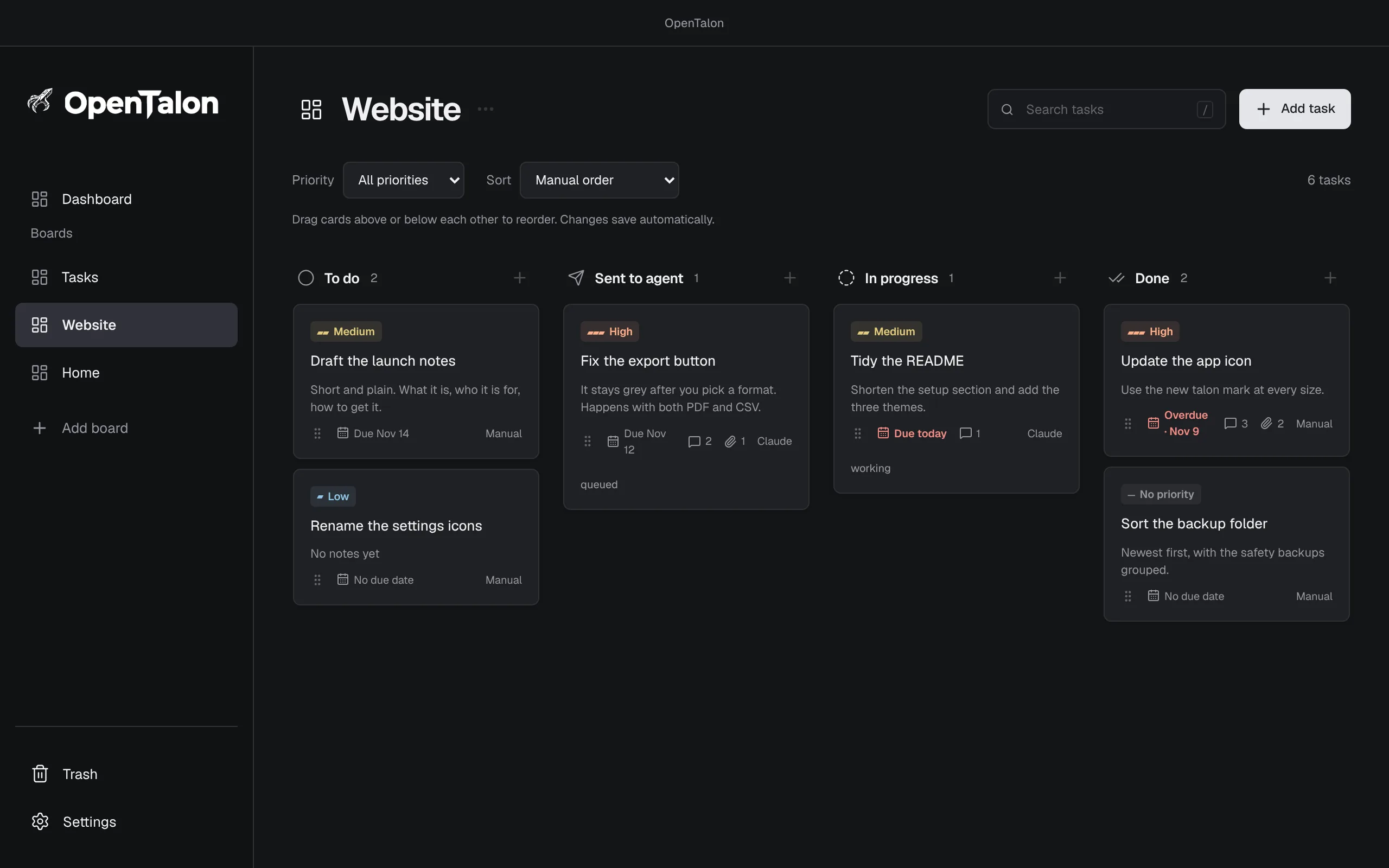
Swipe to see the whole board
- 4
- fixed columns, nothing to configure
- 2
- agents: Claude Code and Codex
- 23
- MCP tools for your agent
- 0
- accounts, API keys, or cloud sync
From a note to done, in four columns.
-
New task Fix the export button To do
Type a title and press Enter.
A task starts as just a title. Add notes, a priority, a due date, or a definition of done when they help. Named boards keep different areas of work apart.
-
To do Sent to agentFix the export button In progress
Drag it to Sent to agent.
OpenTalon starts a new saved conversation with Claude Code or Codex in the working folder you chose. One task runs at a time, and the card shows its run state.
-
YouThe button is still grey. Screenshot attached. AgentFound it. Fixed and verified. Completion reported
Comment, attach a screenshot, close it out.
Feedback you post on an in-progress task goes to the same conversation. A task moves to Done only when the agent reports completion with proof.
Four columns. Nothing to configure.
To do, Sent to agent, In progress, Done. Pick a theme, then send the first task to see how a card travels.
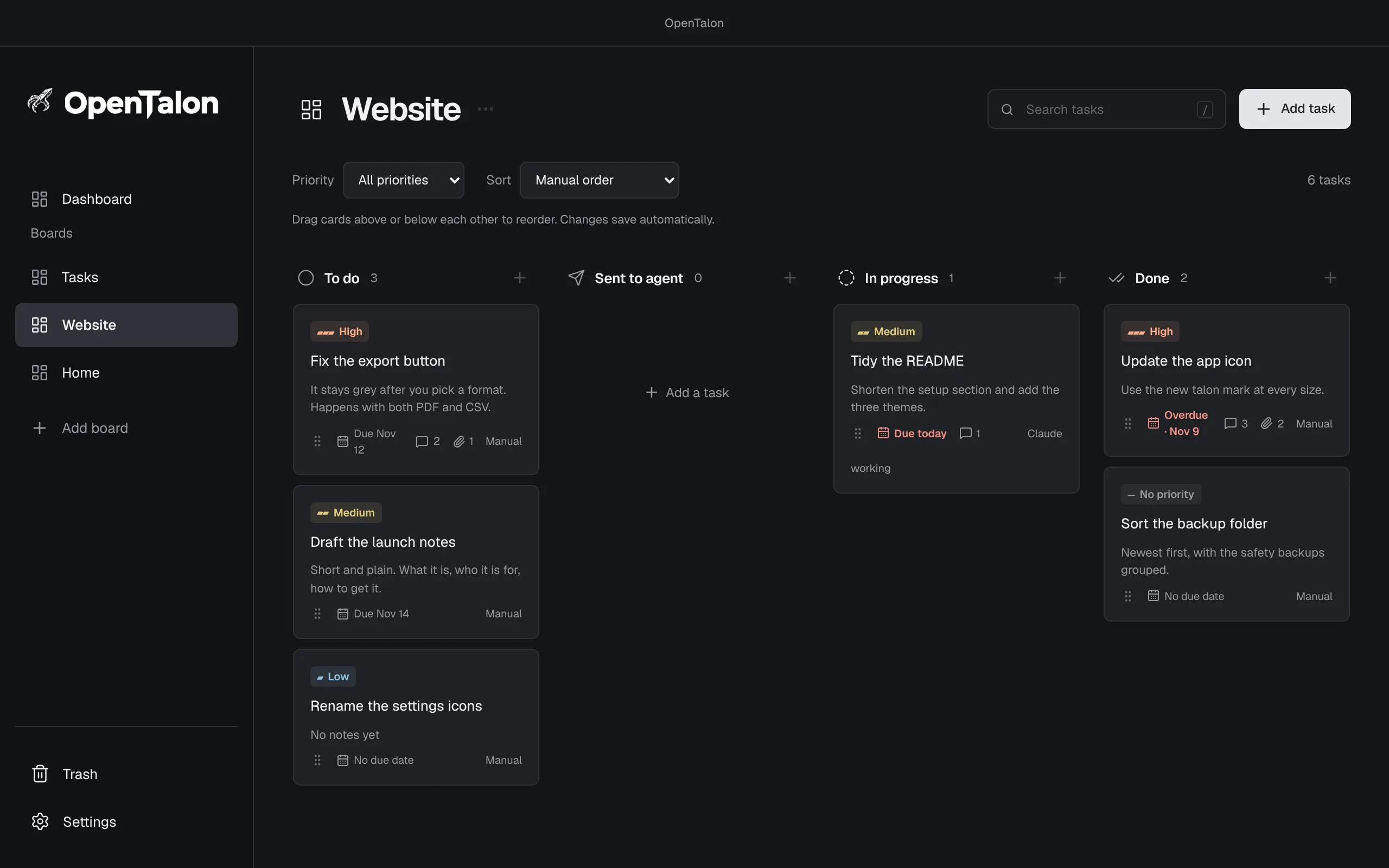
Swipe to see the whole board
Real screens from the app, with sample tasks. In the app, your installed agent does the real work and reports progress as it goes.
Start the day on the Dashboard.
One screen across every board: what is overdue, what is due today, and what is urgent or high priority, with a status breakdown for each board.
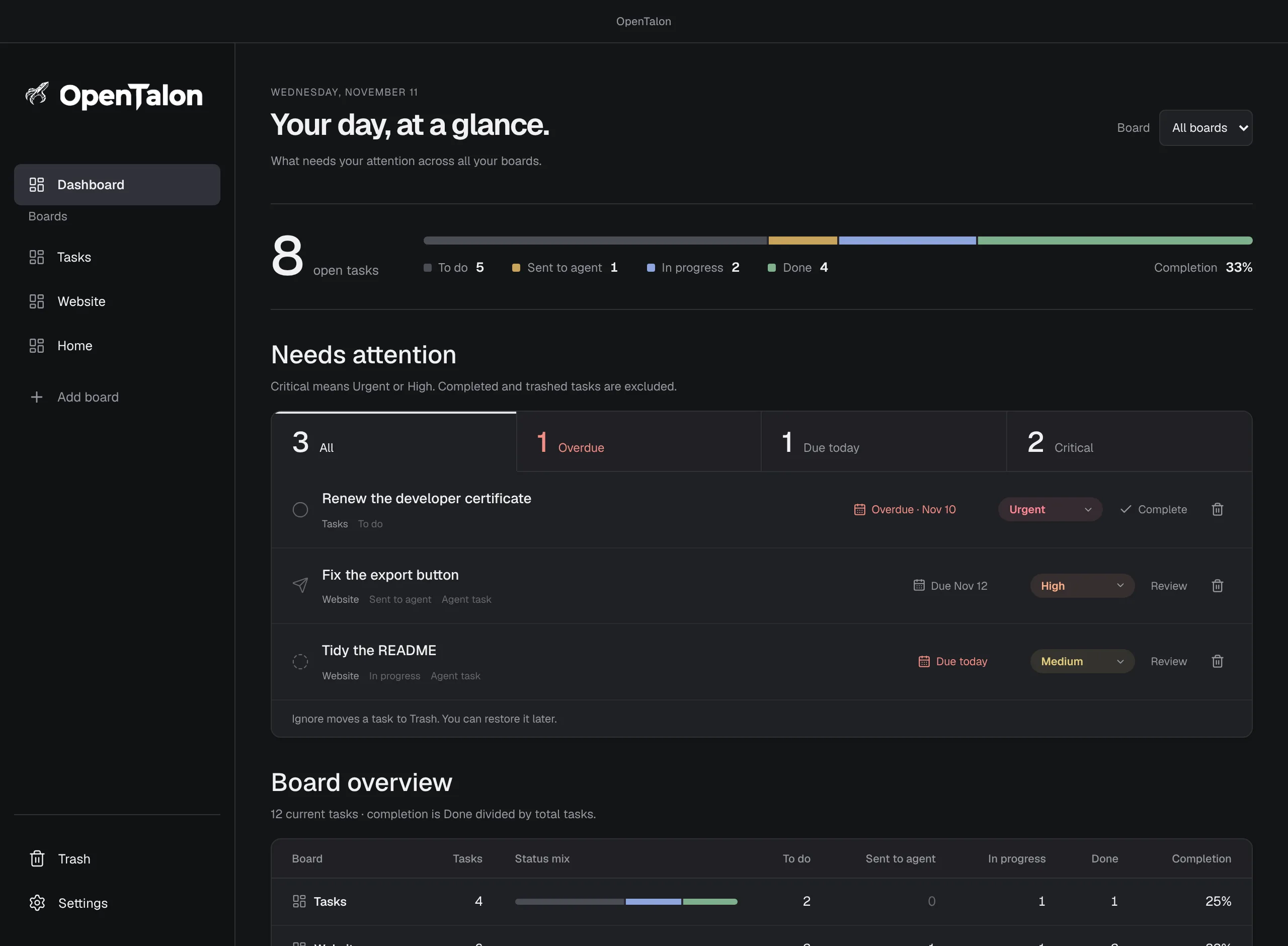
Swipe to see the whole dashboard
Show it what you mean.
Write a comment on an in-progress task and attach up to three screenshots, or paste one straight from the clipboard. OpenTalon checks every five minutes and delivers pending comments to the task’s existing conversation, with the images included.
- Feedback goes to the agent and folder the task was sent with.
- A busy run finishes its turn before it receives the next comment.
- An uncertain delivery waits for your review and is never silently resent.
Your agent can run the whole board.
OpenTalon includes a local MCP connector with 23 tools. A connected agent can read and change every board and task, so you can manage your work by asking, with the board window closed.
-
01
Everything stays on your Mac.
Boards, notes, comments, and screenshots are saved in a local database the moment you change them. Managing tasks works offline. No account, no cloud sync, no telemetry.
-
02
Your agent. Your sign-in.
OpenTalon launches the Claude Code or Codex you already have installed and signed in. It stores no model API key. Agent work uses your provider’s connection and usage allowance.
-
03
Careful with your work.
Deleted tasks go to a Trash you can restore from. Permanent deletion and restoring a backup need an approved preview first. Interrupted runs wait for review and are never replayed automatically.
-
04
Small on purpose.
No accounts, teams, assignees, estimates, or sprints. Boards, tasks, priorities, and due dates cover it, for one person on one Mac.
The short, complete list.
-
Dashboard
See what is urgent, due today, or overdue across every board, with live counts.
-
Named boards
Separate projects or areas of life by name. Every board has the same four columns.
-
Priorities and due dates
Sort and filter by priority, or drag cards into your own order. Overdue dates stay red.
-
Search and Trash
Find tasks by words in titles and notes. Deleted tasks wait in Trash until you restore them.
-
Claude Code and Codex
Both are supported. Choose a default agent and a working folder in Settings.
-
Screenshot comments
Up to three images per comment. Attach files or paste from the clipboard.
-
Complete backups
Versioned JSON or SQLite backups with comments, screenshots, and settings. Restoring makes a safety backup first.
-
Three themes
Graphite, Warm Paper, and Native Light, with native Mac menus.
A little room for the things you’re working on.
A quiet board, a place for notes, and an agent you already use. Stored locally, with nothing to sign up for.
Sending tasks needs Claude Code or Codex installed and signed in on the same Mac. When you send a task, its content goes to the agent you chose and is handled under that provider’s terms.
One newsletter.
All of Protomota.
Product updates and notes from the things I’m building. Join only if you want to.
Join the Protomota newsletterOpenTalon is part of Protomota, alongside Jotley, Inkspring, and PulseCanvas Studio.
Explore ProtomotaMade for ideas.
Fueled by coffee.
Enjoying OpenTalon? A coffee is a small way to support the person behind it.
Buy me a coffeeTips are optional. Every feature stays free. Your agent provider bills you separately.
Want a hand getting set up? Request a setup call
More from Protomota
Protomota is Brad Dunlap’s independent studio for apps, creative tools, and experiments.
Explore the studio



The export button stays grey after I pick a format. See the capture.
The format picker never cleared its disabled state. Fixed, and the test passes.